Guide · 7 min read · Nov 16, 2026
How to Create a Two-Host AI Podcast Video for Shorts & Reels
Step-by-step guide to making a two-host AI podcast video for YouTube Shorts, Reels, and TikTok with design, voices, and use cases.
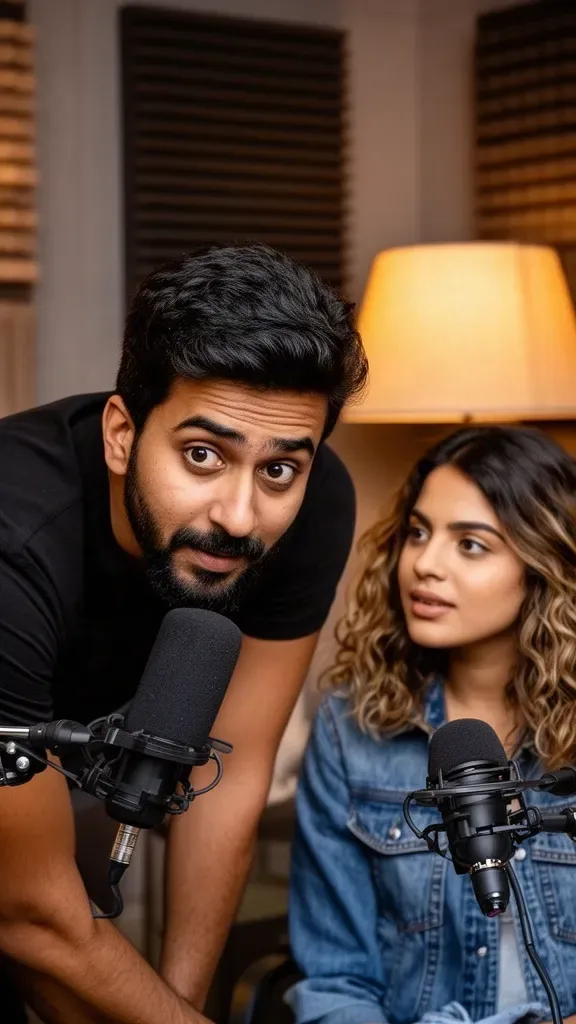
Creating captivating short-form content is easier than ever with AI podcast video tools. Imagine two engaging hosts discussing breaking news, summarizing a book, or sharing fun facts, all without stepping in front of a camera. AI Short Videos lets anyone make faceless, two-host podcast videos ideal for YouTube Shorts, Instagram Reels, and TikTok—perfect for creators who want to deliver value, stay on trend, or grow an audience for monetization.
In this guide, you'll learn how to plan, design, and launch an effective two-host AI podcast video for Shorts or Reels, whether from scratch or using ready-made templates. Let's get started!
Why Choose a Two-Host AI Podcast Video for Shorts?
Two hosts talking back-and-forth catch attention and make even complex topics easy to follow. Here’s why this style works so well for short-form platforms:
- Natural Flow: Conversations feel more relatable than monologues.
- Engagement: Different viewpoints, voices, and moods keep viewers interested.
- Versatility: From explainers to jokes to news, dual hosts can handle any niche.
- No Recording Gear Needed: Get professional podcast vibes—no mic, camera, or soundproof room required.
This format shines for categories like:
- Book summaries
- News recaps
- Explainers and debates
- Billionaire stories
- Funny Hindi skits
- Talking animal tales
Preparing Your AI Podcast Script: Topics, Outlines & Notes
Step 1: Choose your concept—either start from a blank page or pick a template that fits. For example, AI Short Videos offers 49 ready-made ideas, from stock market insights to fairy tales and even Ramayana & Mahabharata.
Script Styles
- Back-and-forth Q&A: Perfect for news or fun trivia.
- Story-style (play format): "Host1: Did you know...?" followed by "Host2: Seriously? That’s wild!"
- Summarizer + Reactor: One explains, the other responds emotionally or humorously.
You can paste your own notes, type new points, or use templates for inspiration—the AI can fill out, rewrite, or polish any script.
Pro tip: Keep scripts concise. Aim for 60–120 seconds (150–300 words max) for Shorts or Reels.
Designing Your Two Hosts: Realistic or Cartoon?
The look of your AI podcast video is vital. AI Short Videos offers rich visual options:
Visual Styles
- Cinematic or Realistic: Suited for serious topics, news, or explainers
- 3D Animated or Anime: Eye-catching for general audiences
- Desi 3D Toon or Crayon Doodle: Fun for kids poems, Hindi jokes, or animal stories
- Storybook, Comic, Stickman: Unique branding for niche content
How to choose:
- Pick a style that matches your content (e.g., comic for jokes, realistic for business stories)
- Try different looks; it’s just a click to redraw in another style
Picking Distinct Voices for Each Host
With 21 natural AI voices in multiple languages, your two hosts will feel dynamic and authentic. Each character (host) can have a unique voice—male, female, young, mature, playful or formal.
Setting Up Voices
- Listen to samples and select the ones that fit your host personalities.
- If writing your script as a play (“Riya: Did you see the score? Raj: Absolutely!”), the AI can auto-pick fitting voices for each name.
Multilingual magic: Want your video in Hindi, Marathi, Tamil, Bengali, or even Urdu? Select from 28 languages—all with natural voices and matching captions. See the full list at Hindi AI Video Generator.
Choosing Your Studio & Scene Motions
The right vibe matters: your "studio" can be anything your audience will like.
Studio Settings
- Virtual podcast rooms
- Cozy living rooms
- Futuristic spaceships
- Animated blackboards—or even wild outdoor parks!
Scene Motion Options:
- Animated pictures with camera pan: Fastest to make; adds energy.
- Real motion intro clip: A 3-second video to hook viewers before switching to animations.
- Full motion for every scene: Hosts move and gesture throughout (costs more credits).
- "Make it move" feature: Add animation to static scenes after the video is built.
Tip: For daily or batch uploads, animated pictures with camera pans are cost-effective and look slick on Shorts.
Talking Hosts vs. Animated Pictures: When to Use Each
- Lip-sync talking hosts:
- Use for character-driven explainers or news recaps.
- When you want hosts to feel "alive" and expressive.
- Good for cricket debates and lively host reactions.
- Animated pictures (no full lip-sync):
- Best for story-style podcasts, listicles, or slideshows.
- Saves time and credits—great for high-volume publishing.
Example Table: Scenes vs. Styles
| Content Type | Visual Style | Motion Option |
|---|---|---|
| Hindi Jokes Podcast | Desi 3D Toon | Animated pictures + pan |
| Book Summary | Realistic | Static or light animation |
| Mythology Explainer | Cinematic | Talking hosts with full motion |
| Cricket Banter | Storybook, 3D | Talking hosts or comic style |
Making and Editing with AI Short Videos
Here’s a practical workflow using AI Short Videos:
- 1Pick a niche/template:e.g. Akbar Birbal, Motivation, Facts/Education
- 2Edit the script or paste your own notes.
- 3Design hosts:Choose look, voices, language, and set your "studio."
- 4Select motion style:Full motion, camera pan, or static.
- 5Generate video:AI writes, draws, voices, and captions everything.
- 6Review/edit:Redraw a scene, correct a line, or revoice as needed.
- 7Publish:One-click to YouTube; download MP4 for TikTok/Reels.
You can post single videos or schedule a whole series, so a fresh episode is waiting for you on autopilot.
When & Why Not to Use Two Hosts
- Use two hosts when topics benefit from debate, humor, or surprise—explainers, recaps, lighthearted battles.
- Stick to one host for deeply personal stories, poetry, or serious monologues (try Buddha stories as a calm solo voice).
- Mix it up for variety. You can always edit episodes to add or remove hosts before publishing.
Quick Tips for Shorts/Monetization Success
- Keep every video unique—avoid copy-pasting titles/scripts to stay in line with YouTube's originality rules.
- Use a strong hook in the first 2 seconds.
- Add subtitles and eye-catching visuals (default in AI Short Videos).
- Explore niches & ideas for inspiration.
- Engage in the comments—podcast voices spark reactions!
FAQ
How do I make my AI podcast video more engaging?
Use questions, real reactions, and friendly banter between hosts. Match voices and visuals to your target audience.
Can I create podcast videos in Hindi or regional scripts?
Yes! AI Short Videos supports 28 languages with local scripts and matching captions. Great for Hindi, Tamil, Marathi, and more.
Can I edit my AI podcast video after it's created?
Absolutely—change lines, choose new visuals, pick different voices, or translate your whole video before publishing.
Where can I find two-host podcast video ideas?
Browse the ideas page or pick a ready-made template from history, education, jokes, business, and more.
Ready to make your own two-host AI podcast video and reach millions on Shorts? Start free today—no card needed!