Guide · 6 min read · Nov 2, 2026
How to Use an AI Cartoon Story Video Maker for Kids’ YouTube Channels
Learn how to create original cartoon story videos using AI for kids and family channels. Tips for character design, voices, styles & saving time and money.
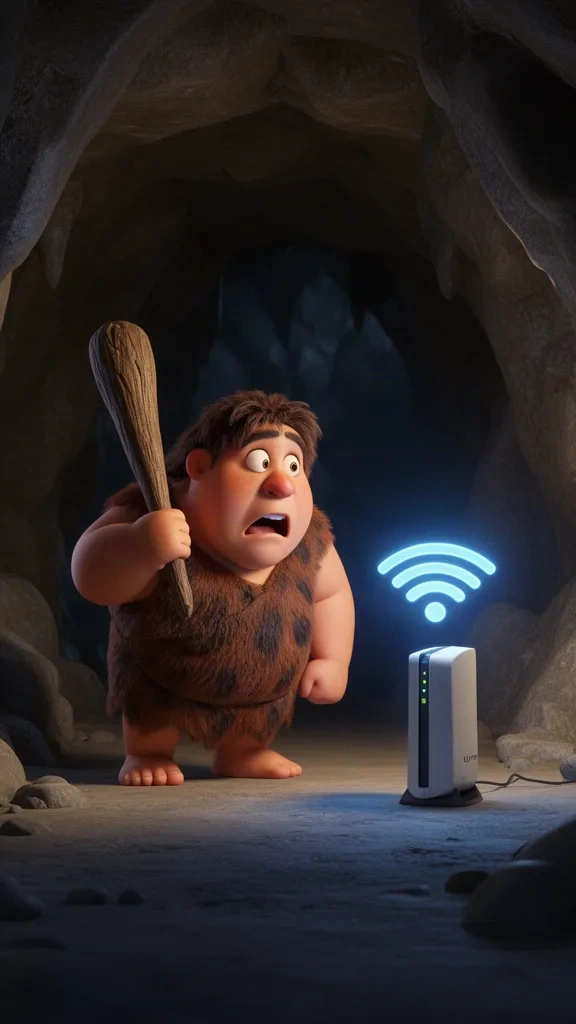
Dreaming of launching a popular kids or family channel with original cartoon stories, talking animals, or desi 3D tales? An AI cartoon story video maker can simplify the entire process, even for beginners. Read on to see how you can quickly create engaging, faceless cartoon shorts—no animation experience required!
Why Use an AI Cartoon Story Video Maker?
Making quality cartoon story videos has traditionally meant high costs, weeks of animation, and a team for script, voices, and editing. With modern AI tools like AI Short Videos, the process is now accessible to solo creators and small teams alike. An AI cartoon story video maker automates your scriptwriting, scene creation, voiceovers, subtitles, and more—all tuned for YouTube Shorts, Instagram Reels, and TikTok.
Original Characters Only: Why Copyright Matters
No Doraemon or Peppa Pig!
Kids gravitate towards familiar faces, but using copyrighted cartoon characters is a big no. YouTube strictly prohibits using protected content in your videos; channels making Doraemon or Peppa Pig-style stories get demonetized or copyright-struck. Always create your own characters—an AI cartoon story video maker helps by generating unique characters for each story.
Benefits of Original Cartoons
- Safe for YouTube monetization
- Easier to build your own brand—your viewers know your style
- Unlimited creative freedom (talking animals, clever foxes, wise old trees...)
AI Tools for Talking Animals, Fables, and Kids Poems
Story Templates for Every Niche
With AI Short Videos, you can simply pick from templates like talking animal stories, kids poems and rhymes, fairy tales and fables, or even Hindi jokes and skits. Templates instantly set up the right script structure, visuals, and even voices. That’s massive time saved!
Multilingual Magic
Ready to tell stories in Hindi, Marathi, Gujarati, Bengali, Tamil, Telugu, Kannada, Malayalam or Urdu? Choosing a language auto-switches captions and voices to match—perfect for transforming classic fables or new adventures for every audience.
Giving Every Character a Unique Voice (Automatically!)
With kids’ content, voices matter! AI Short Videos can assign one of 21 natural-sounding AI voices so that your monkey, clever fox, wise grandparent, or naughty crow each sound distinct. Write your script like a play (e.g. Crow: “I’m so thirsty today!”), or let the platform do it.
| Feature | Manual Editing | AI Short Videos |
|---|---|---|
| Voice Casting | Find/record every voice | AI assigns & auto-matches |
| Multilingual Voices | Extra cost/dubbing | Built-in 28+ local languages |
| Scene Illustration | Hire artist per scene | AI draws every unique scene |
| Captions | Time-consuming editing | Animated, word-by-word captions |
Choosing Visual Styles: Kids 3D, Desi 3D Toon, and More
Which Style Fits Your Stories?
For kid and family channels, try the cheerful, vivid look of "Kids 3D" or "Desi 3D Toon." Both create eye-catching, friendly characters—not generic Western cartoons. Want a classic feel? "Storybook," "anime," or "comic" styles suit fairy tales and fables. You choose the vibe; AI draws every scene for you in matching style.
Explore all styles in seconds, no art skills (or patience) needed! If you want to see templates in action, check ideas for kids poems or fairy tales and fables.
Keeping Your Characters Consistent in Every Video
Special tip: For kids and family audiences, consistency builds connection. AI Short Videos lets you ‘lock in’ a character’s look, name, and voice across episodes. Set up once, and every new story will feature your hero—whether that’s a legendary Hanuman, clever jungle animals, or a group of cheerful school friends.
If you want to build a series (like daily Akbar Birbal jokes or a weekly mythology tale), use the “Series” feature: Pick your niche, set style and voices, and a fresh episode lands in your review list each scheduled day. Check how this works in the how-it-works guide or see ideas for Akbar Birbal.
Animation Options: Save Money or Go Full Motion?
Animated Pictures or Full Motion? Pros & Cons
When making shorts for YouTube or Instagram, there’s often no need for Pixar-level animation—especially with vertical videos! Here are your choices:
- Animated Pictures + Camera Movements (cheapest):
- AI draws a lively, original picture for each scene.
- Dynamic zooms and pans keep things moving.
- Full Motion (most costly/credit-consuming):
- Every character action and lip sync is animated—a step up!
- Hybrid:
- Start with a full-motion intro, then animated stories.
- Use "Make it Move" to animate special scenes only, saving credits.
Mix and match based on your budget and story needs. Most family channels find a balance between eye-catching scenes and cost savings here.
Growing Your Kids & Family Channel with AI
How to Stand Out & Stay Monetizable
YouTube’s Partner Program wants memorable, original content. Avoid “copy-paste” videos or using the same formula for every upload. With AI Short Videos you can:
- Tweak scripts and scenes for every video, even from the same template.
- Explore new niche ideas to avoid repetition.
- Edit any line, redraw art, or re-record voices for a personal touch.
- Publish directly to YouTube (YouTube shorts, vertical format).
- Stay monetizable by always using original, non-copyrighted content.
Check the grow guide for tips on hitting YouTube’s 1,000 subscribers and Shorts view goal.
Example Workflow: Making a Hindi Fable for Kids
- Log in to AI Short Videos
- Select the talking animal stories template
- Enter your story idea: "The Fox and the Grapes, but set in a modern Indian city"
- Choose "Hindi" and a fun 3D Toon visual style
- Assign fox and crow characters; let AI auto-cast playful voices
- Pick animated pictures with camera motion (for budget videos)
- Edit script lines or scene art if needed
- Preview and publish straight to YouTube, or download as MP4
- Schedule your next story as a series!
FAQ
Can I use famous cartoon characters in my AI videos?
No. Always create and use original characters—the platform helps you generate unique designs. Using copyrighted characters risks your channel.
What’s the difference between animated pictures and full motion?
Animated pictures use drawn scenes with camera zooms/pans, saving credits and time. Full motion animates every action and mouth movement, creating richer but more expensive videos.
How many languages can I make cartoon videos in?
AI Short Videos supports 28+ languages (including Hindi, Tamil, Telugu, Bengali, Marathi, Gujarati, Urdu, and more), all with native captions and voices.
Can I edit the script or swap out cartoons after making the video?
Yes! You can change any line, redraw a scene, change a voice, or translate your video at any time in the editor.
Ready to tell your first AI-powered cartoon story? Start free and bring your original characters to life!