Guide · 8 min read · Oct 29, 2026
How to Create Hindi Kahani Video AI Stories: Step-by-Step Guide
Learn to make moral, horror, mythology, and Panchatantra Hindi kahani videos with AI. Script tips, character voices, and format ideas for YouTube Shorts.
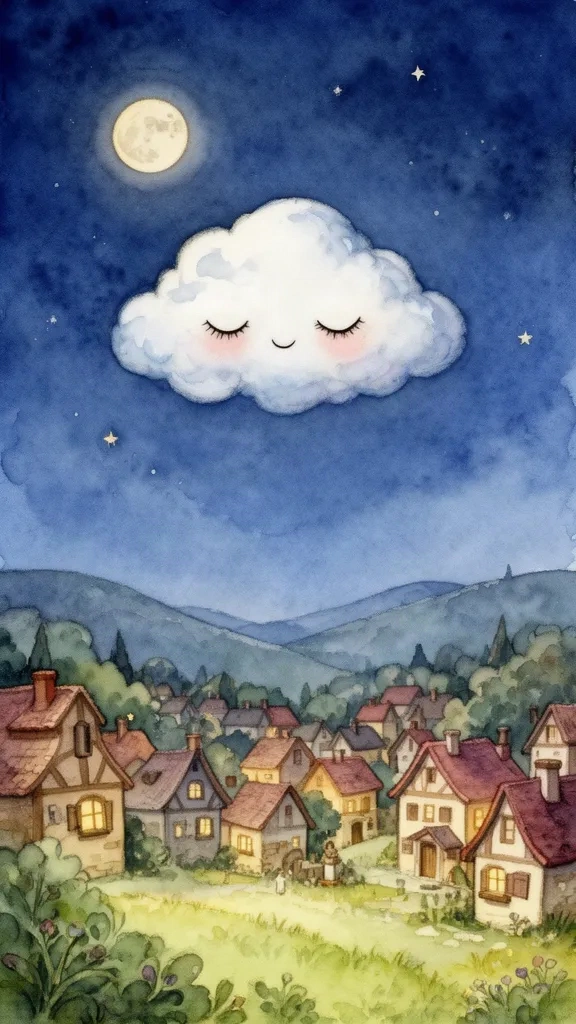
Creating Hindi kahani video AI stories is now easier than ever. Whether you want to share moral stories, chilling horror kahaniyan, mythical tales from the Ramayana or Mahabharata, or timeless Panchatantra-style animal fables, faceless AI tools can help you produce studio-quality short videos at scale without showing your own face or spending weeks editing.
Let’s explore how you can script, design, and publish engaging Hindi story videos with AI—even if you’re a beginner!
Why Make Hindi Kahani Videos with AI?
Short videos in Hindi are booming on YouTube Shorts, Instagram Reels, and TikTok. Viewers love quick moral stories (‘hindi moral kahani’), scary kahaniyan, mythological epics, and even Akbar-Birbal jokes. But writing, voicing, animating, and subtitling by hand can take days per video.
With tools like AI Short Videos, you can:
- Write your script or use an AI template
- Set characters and give each a unique voice automatically
- Pick story look: cartoon, cinematic, doodle, etc.
- Choose natural-sounding Hindi or Hinglish voices
- Get captions word-for-word in Devanagari or Latin script
- Edit scenes, redraw, re-record, or translate instantly
- Batch-create and schedule a series in advance
No technical skills are needed, and the results are ready for YouTube Shorts, Reels, and more. Monetization is possible if your videos add original value—so think quality over quantity!
Writing Hindi Stories: Play Format for Character Voices
One best practice for Hindi kahani videos: write your story like a script, giving every character (and the narrator) their own lines. This makes every character’s voice automatic—no complicated manual editing!
Script Example
Moral Story Format
- Narrator: Ek din Ram apne dost Shyam ke ghar gaya.
- Ram: Namaste Shyam, kaise ho?
- Shyam: Main theek hoon, Ram! Tum kaise ho?
This play-by-play style fits AI Short Videos perfectly. Just enter the lines per character, and the AI picks suitable Hindi voices, switching automatically between scenes.
Tip: Use story ideas from niche templates—mythology, Akbar Birbal, scary stories, and more—to get a full outline pre-written in script format.
Keep Moral and Message Clear
For moral kahani or Panchatantra tales, end with:
- Narrator: Is kahani se humein yeh seekhne ko milta hai ki...
Choosing Language and Captions: Devanagari or Hinglish?
Hindi audience preferences vary—a north Indian family may prefer kahaniyan in Devanagari script, while young viewers love Hinglish (Hindi in Latin alphabet).
AI Short Videos supports both:
| Input | Captions Style | Typical Audience |
|---|---|---|
| Devanagari | देवनागरी | Bharat, family/Kids, urban/rural |
| Latin alphabet | Hinglish | Youth, digital, metro cities |
Test what works for your channel! Add an intro or end in both styles if unsure.
Cartoon vs Cinematic: Picking the Right Look
The look of your Hindi kahani sets the mood:
- Desi 3D Toon: Great for folktales, Akbar-Birbal, animal fables (see templates).
- Kids 3D or Crayon Doodle: For children’s stories, jokes or kids poems.
- Cinematic or Realistic: Perfect for horror, mythology, Ramayana and Mahabharata, or inspiring legends.
- Anime or Stickman: Trendy for Gen Z, fantasy tales, or lighthearted parodies.
You can preview each style, and even redraw a scene if something looks off. Combine different visuals for intro, flashback, or the big twist.
Keeping Characters Consistent Across Episodes
It’s tempting to let every video be random—but serial fans love consistency! To keep your Ram, Shyam, or Chatur Bandar (Clever Monkey) looking and sounding the same:
- Use series settings in your tool (how series work) to fix character names, voice profiles, and looks.
- Reuse names and costumes for leads (Hanuman, Draupadi, Birbal, etc.)
- Save a default project as your “template” for recurring story themes.
AI Short Videos lets you set up a niche, style, main voices, and publish days. A fresh story is generated each time, but your classic characters stay familiar.
Series Ideas for Hindi Kahani Video AI Stories
Running a regular series gives huge watch time and channel growth. Here are evergreen ideas to keep your audience hooked:
Moral Kahaniyan (Mon–Fri)
- Panchatantra ki kahaniyan
- Buddha stories with morals (template)
- Chanakya Niti in small episodes (template)
Horror or Scary Stories
- Desi horror kahaniyan (scary stories template)
- Ghost encounters, village legends
- Mythological monsters or curses
Mythology Countdown
- Stories from the Ramayana and Mahabharata
- Krishna Leela shorts
- Akbar-Birbal, Tenali Raman (template)
Fun & Kids Content
- Talking animal stories (niche)
- Hindi jokes and skits
- Kavi sammelan, poem recitals (poem template)
Tips for Monetizing and Growing Your Hindi Kahani Channel
YouTube Shorts creators can join the Partner Program after:
- 1,000 subscribers
- AND either 4,000 public watch hours/year OR 10 million valid Shorts views/90 days
To be eligible, avoid “mass-produced” or repetitive videos. Here’s how:
- Always write each story anew, even if using templates—add your own twist!
- Use visuals, voices, and scripts unique to your brand or series
- Add value: reflect on the story’s moral, relate it to today, or summarize a key lesson for families
Want more content ideas? Browse all niche ideas to plan your content calendar.
Step-by-Step: Making a Hindi Kahani Video with AI
- 1Pick a templateFrom the 49 options—try fairy tales and fables, horror, kids, mythology, etc.
- 2Write your storyEnter it like a play—one line per character. (Or tweak the AI-generated script.)
- 3Set language & captionsChoose Hindi in Devanagari or Hinglish.
- 4Select voicesPreview and assign voices to characters or let AI choose automatically.
- 5Visual stylePick animated, cartoon, cinematic, or custom.
- 6Adjust motionOpt for animated pictures, partial motion or full-motion scenes as per budget.
- 7Edit & reviewFix lines, redraw scenes, or translate the whole video if needed.
- 8Schedule as seriesSet days for auto-creation, so new episodes arrive on time.
- 9Publish or downloadOne-click to YouTube; download MP4 for TikTok or Instagram.
Tip: Try it completely free—no card required, with monthly credits. Paid plans unlock more features and downloads. See pricing.
FAQ
Can I make a Hindi story video in my own voice?
AI Short Videos provides 21 natural AI voices. You can record your own narration for any line if you prefer or let the AI handle it all.
What’s the best style for kids' Hindi stories?
Desi 3D Toon, Kids 3D, or Crayon Doodle work well for children. Classic tales or poems often perform best with these bright, animated visuals.
Does AI Short Videos support other Indian languages?
Yes! You can make kahani videos in 28 Indian languages—Punjabi, Bengali, Tamil, Telugu, Marathi, and more—with matching captions.
How do I avoid ‘inauthentic’ content issues on YouTube?
Make sure each story is unique, not low-effort AI spam or repeats. Add personal touches, commentary, or extra context for each video.
Ready to bring your Hindi kahaniyan to life? Start free and publish your first AI-powered story—no editing skills required.